
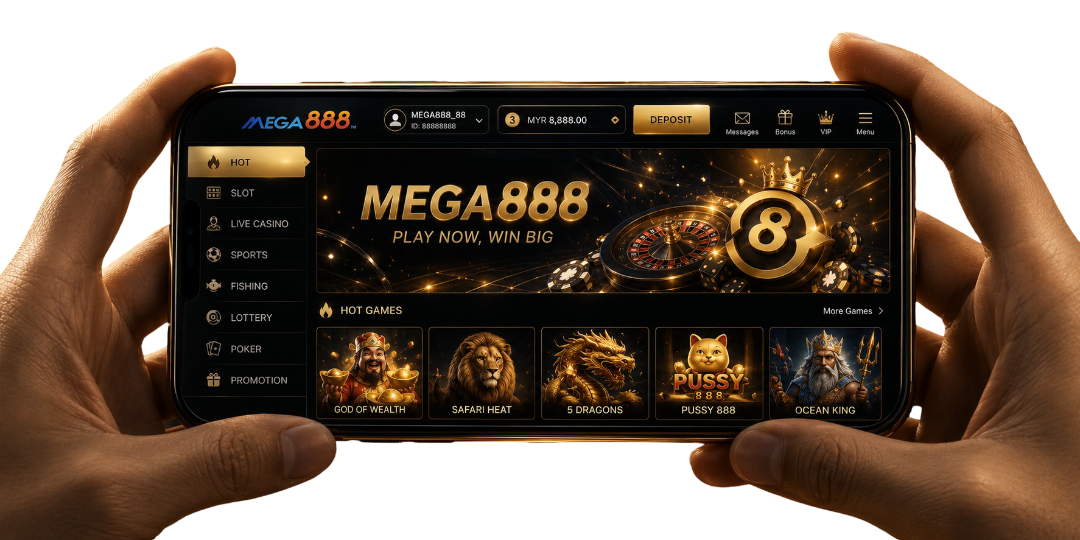
Before You Login Mega888
Make sure you have:
- Installed Mega888 on your Android or iPhone
- Received an account ID and password from your agent
- Entered the details exactly as provided
- Connected your device to stable Wi-Fi or mobile data
If the app is not installed yet, complete the download guide before requesting account access.
How to Complete the Mega888 Login
Open Mega888
Select the Mega888 icon from your device. Wait until the login screen has loaded completely.
Enter Your Account ID
Type the account ID provided by your agent. Check letters, numbers and capitalisation before continuing.
Enter Your Password
Enter the password connected to the account. The password field may hide each character while you type.
Select Your Language
Choose an available language when the app asks for your preference.
Tap Login
Select Login and wait for the game lobby to load. Avoid tapping repeatedly while the account is connecting.
If the details are accepted, Mega888 will open the lobby connected to that account.
New to Mega888?
New players cannot create a complete account simply by installing the application. Contact a Mega888 agent through WhatsApp or Telegram and request a new player account.
The agent may ask for the information needed to create and manage the account. Requirements can differ between agents, so review the provided terms before proceeding.
Once the account is ready, keep the following details securely:
- Account ID
- Password
- Registered contact information
- Agent contact used to create the account
The agent responsible for creating the account is normally the correct contact for later recovery or account changes.
Returning Players to Mega888
Use your existing account ID and password after updating Mega888, reinstalling it or moving to another supported device.
Before deleting an older installation, save your account ID somewhere secure. Reinstalling the app does not recover forgotten login details or create a replacement account.
Mega888 Test ID Access
A Mega888 Test ID is a shared demonstration account used to explore supported games without using a funded player account. Test credits have no cash value, and winnings obtained with them cannot be withdrawn.
Test ID access is not the same as a real account:
| Mega888 Test ID | Real Account | |
|---|---|---|
| Purpose | Try supported games | Regular account access |
| Account ownership | Shared demonstration access | Assigned to an individual player |
| Credit | Demonstration credit | Account balance |
| Withdrawal | Not available | Subject to agent terms |
| Game access | Supported non-live categories | Depends on account and app |
| Recovery | Change or request another Test ID | Contact the account's agent |
Available information indicates that Test IDs generally support slot games, virtual casino games, Keno and fish-shooting games. Live casino access is normally restricted, while individual title availability may change.
Mega888 Login Problems
If login access is unsuccessful, identify what appears on the screen before changing any settings. For additional checks or personal account assistance, visit the Help page and contact the agent connected to your account.
Account ID or Password Is Incorrect
Re-enter both details manually and check their capitalisation. If the message remains, ask your agent to confirm the account status or reset the password.
Login Screen Keeps Loading
Switch between Wi-Fi and mobile data, then reopen the app. Also check whether a newer compatible app version is available. If other online services work normally, the app or its server may be temporarily unavailable.
Code:3 Appears
Code:3 is commonly associated with an account already being used on another device. Log out from the previous device before trying again. For a shared Test ID, request or use another available Test ID. For a personal account you do not recognise as active elsewhere, contact your agent promptly Mega888 login troubleshooting.
App Returns to the Login Screen
Check the connection and enter the credentials again. If the session continues to close, restart the app and ask your agent to review the account.
Test ID Has No Credit
Another user may have used the available demonstration credit. Request another Test ID rather than treating the balance as real funds.
Account Works on the Old Device Only
Confirm that the new device uses a compatible Mega888 installation. Then close the account session on the older device before logging in again.
Recover a Forgotten Mega888 Account
Password recovery is handled through the agent or support channel responsible for the account. There is no password-recovery form inside this page.
Prepare your:
- Account ID, if available
- Registered phone number or contact information
- Approximate account-creation details
- Original agent contact
The agent may ask questions to confirm account ownership before resetting any details. Never disclose a one-time code or password to an unrelated contact.
Protect Your Mega888 Login Details
Keep your Mega888 account separate from passwords used for email, banking or social media. Do not share screenshots that expose your account ID, password or balance.
If you notice access from an unfamiliar device, stop logging in repeatedly and contact your agent. Request a password change after your account ownership has been confirmed.
Need Help Accessing Mega888?
Use the Mega888 Help page when the app remains stuck, your agent needs to review the account, or you are uncertain which contact originally created it. Include the error message and device type, but never send your password in the first support message.
Frequently Asked Questions
Can I create an account inside the Mega888 app?
No. Request account creation assistance from a Mega888 agent first.
Can one account be used on two devices simultaneously?
Concurrent access may fail when another device has an active session.
Does reinstalling Mega888 remove my player account?
No. Your account remains separate from the application installed locally.
Can another agent reset my forgotten password?
Usually, contact the agent responsible for creating and managing your account.
Why does my Test ID show no credit?
Another user may have already used that shared account's demonstration balance.
Can Test ID winnings be transferred to my account?
No. Demonstration credits and winnings cannot be withdrawn or transferred.
Should I send my password when requesting support?
No. Provide your account ID first and follow verified recovery instructions.