
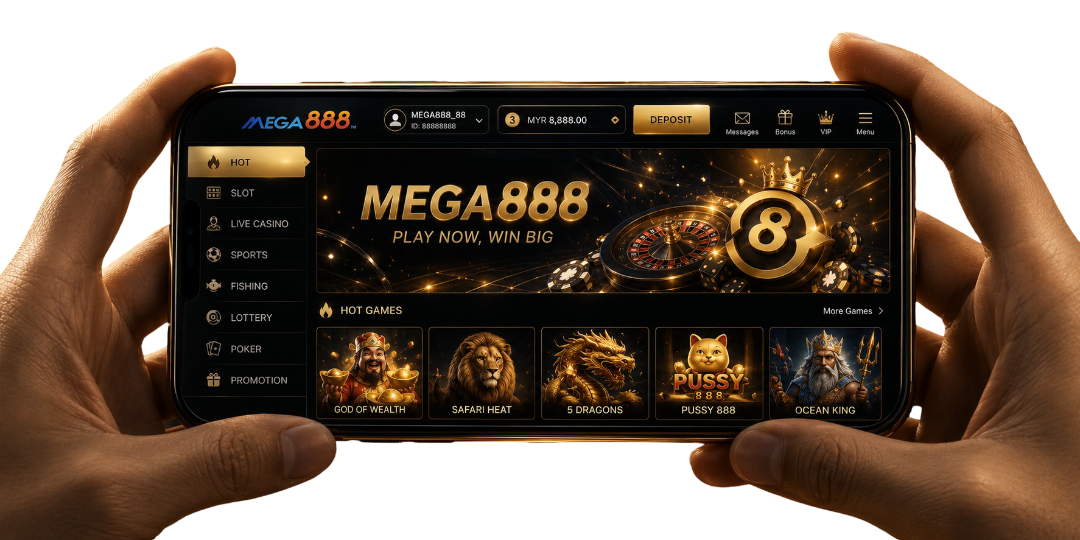
Need Help Installing Mega888?
Choose your device to check its requirements, permissions, installation steps and common problems.
Android
Check your phone meets the requirements and can install an app from outside Google Play before you install the Mega888 APK.
View Android GuideiPhone
iPhone users need the current iOS-compatible installation, not the Android APK. Check the latest instructions before installing.
View iPhone GuideMega888 APK Download for Android
Mega888 is installed on Android using an APK file. Since the file is downloaded outside Google Play, Android may ask you to approve installation from the browser or file manager opening it.
| App | Mega888 |
|---|---|
| Platform | Android |
| Version | v1.2 |
| Filename | Mega888_V1.2.apk |
| File format | APK |
| Installation | Manual APK installation |
System requirements vary depending on the Mega888 APK version. The information above should be checked whenever the download file is updated.
Check Your Android Device Before Mega888 Download
Mega888 does not publish one set of requirements for every APK version. Complete these checks before installing the current file.
Check Your Android Version
Note the Android version installed on your device. If Mega888 displays an incompatibility message during installation, do not attempt to force the APK to install.
Check Available Storage
Make sure there is enough space to download and install the APK. Remove unnecessary files if Android reports insufficient storage.
Check Your Internet Connection
A network connection is required to download Mega888 and log in. Use stable Wi-Fi or mobile data, and restart an interrupted download instead of opening an incomplete file.
Check for an Existing Installation
Look for Mega888 in your app list before installing another version. An existing installation with a different APK signature may prevent the new file from being installed.
Save your account ID before removing an older version.
How to Install Mega888 APK
Download Mega888
Tap Download Mega888 APK and wait until the download is complete.
Open the APK File
Open your phone's Files app, then go to:
Tap the file to continue.
Allow APK Installation
If Android blocks the installation, tap Settings on the warning message. Enable Allow from this source for the browser or Files app opening the APK.
If no shortcut appears, go to:
Install Mega888
Return to the APK file and tap Install. Wait for the installation to finish.
Open Mega888
Tap Open when installation is complete. Mega888 should load and display the login screen.
Turn Off the Permission
Return to Install unknown apps and disable Allow from this source after installation.
Review Android Permissions For Mega888
Permission to install an APK is separate from any permissions requested after Mega888 opens.
Read each prompt before approving it. Only allow access that is needed for the available app functions.
Keep Google Play Protect enabled. It checks apps installed outside Google Play and may warn you when a file appears potentially harmful.
Android Installation Problems
Download Does Not Start
Check your internet connection, browser download permission and available storage before trying again.
APK Cannot Be Opened
The download may be incomplete or corrupted. Delete the file and download a fresh copy.
“App Not Installed” Appears
An existing installation, insufficient storage or incompatible APK version may be preventing installation. Save your account ID before removing the current app.
“Problem Parsing the Package” Appears
The APK may be incomplete or incompatible with your Android version. Download the file again and check its version.
Package Conflicts with an Existing App
The installed app may use a different APK signature. Keep your account details before removing the older installation.
Play Protect Displays a Warning
Stop the installation and check the APK details. Do not automatically ignore or disable the warning.
Mega888 Installs but Will Not Open
Restart the phone and try again. If the app still closes, check whether another compatible version is available.
Mega888 iOS Download for iPhone
Mega888 uses an iOS-compatible installation for iPhone and iPad. An Android APK cannot be installed on an Apple device.
Depending on the available version, iOS may require you to verify the app developer before Mega888 can open.
| App | Mega888 |
|---|---|
| Platform | iPhone and iPad |
| Available versions | iOS 13 to iOS 18 |
| File format | iOS-compatible application |
| Installation | Safari download and developer verification |
System requirements vary depending on the Mega888 iOS version. Check the available version against your device before installing it.
Check Your iPhone Before Mega888 Download
Complete these checks before starting the Mega888 iOS download.
Check Your iOS Version
Mega888 provides versions for iOS 13 through iOS 18. Select the installation that matches the iOS version shown on your device.
If your iPhone uses iOS 15.3.1, choose the available Mega888 installation for iOS 15.
Check Available Storage
Make sure there is enough space to download and install Mega888. Remove unnecessary files if iOS reports insufficient storage.
Check Your Internet Connection
A network connection is required to download Mega888, verify the developer and log in. Use stable Wi-Fi or mobile data throughout the installation. An interrupted connection may leave the app icon waiting or prevent developer verification.
Check for an Existing Installation
Look for Mega888 on your Home Screen or in the App Library before installing another version.
Save your account ID before removing an older installation. Only delete the existing app when an update or installation conflict makes it necessary.
How to Install Mega888 on iPhone
Download Mega888 iOS
Open this page in Safari and tap Download Mega888 iOS.
Follow the installation prompt displayed on your iPhone.
Wait for Installation
Return to the Home Screen and wait for the Mega888 icon to finish loading.
Do not repeatedly tap the icon while the installation is still in progress.
Verify the App Developer
If iOS displays Untrusted Enterprise Developer, open:
Select the developer profile connected to Mega888, then follow the trust instructions shown on your device.
On iOS 18 or later, Apple may display Allow & Restart. Allow the iPhone to restart, then complete the remaining verification steps.
Open Mega888
Return to the Home Screen and tap the Mega888 icon.
The installation is complete when Mega888 opens and displays the login screen without a developer warning.
Review iPhone Permissions For Mega888
Developer verification allows iOS to open the application. It does not automatically approve every permission Mega888 may request afterwards.
Read each permission prompt before accepting it. You can review or change approved permissions under:
The exact menu location may differ between iOS versions.
iPhone Installation Problems
Download Does Not Start
Open the page in Safari, check your internet connection and confirm that enough storage is available.
App Icon Remains Greyed Out
The installation may still be processing or may have been interrupted. Check your connection and wait before downloading again.
“Untrusted Enterprise Developer” Appears
Open Settings → General → VPN & Device Management and complete the developer-verification steps.
“Unable to Verify App” Appears
Connect the iPhone to the internet and try verification again. If it still fails, the current developer certificate may no longer be active.
“Integrity Could Not Be Verified” Appears
Do not attempt to bypass the warning. Remove only the incomplete installation and request the current Mega888 iOS download.
Developer Profile Is Missing
The installation may not have completed, or the current profile may be unavailable. Return to the download page and check for an updated installation.
Mega888 Installs but Will Not Open
Restart the iPhone and check whether the developer profile remains verified.
What to Do After Mega888 Download
Once Mega888 opens successfully, choose the next step that matches your situation.
I Am a New Player
Mega888 does not provide self-registration inside the app. Contact an agent through WhatsApp or Telegram to create your account and receive your login details.
I Already Have an Account
Open Mega888 and enter your existing account ID and password. If either detail is no longer available, view the Mega888 Login Guide for next steps. Otherwise, you may check with the Mega888 agent for account recovery before creating another account.
I Want to Check the Games First
Browse the Mega888 game library to see the available slot, table, fishing and arcade categories before entering the lobby.
The App Still Does Not Open
If the download is completed but Mega888 will not install, open or reach the login screen, prepare the error message and contact Mega888 support.
Frequently Asked Questions
Can I save the APK and install it later?
Yes, provided the complete file remains unchanged inside your Downloads folder.
Should I close Mega888 before installing an update?
Yes, closing the existing app helps reduce potential installation conflicts.
Why does the download open another page?
The file may be delivered through a separate installation or profile service.
Does the browser used for downloading matter?
Safari suits iPhone installations, while supported Android browsers can download APK files.
Can I download Mega888 without an account?
Yes, downloading the installer does not require your Mega888 account credentials.